Important Note: NCSoft NCoins (KR) can only be used on Korean accounts.
The expiry date is shown below the purchased code. Please refer to it for validity. and is non-refundable, non-replaceable, and non-extendable after this period.
NCSOFT NCoin (KR) Redemption Instructions:
1. Open your PlayNC Wallet website and log in.
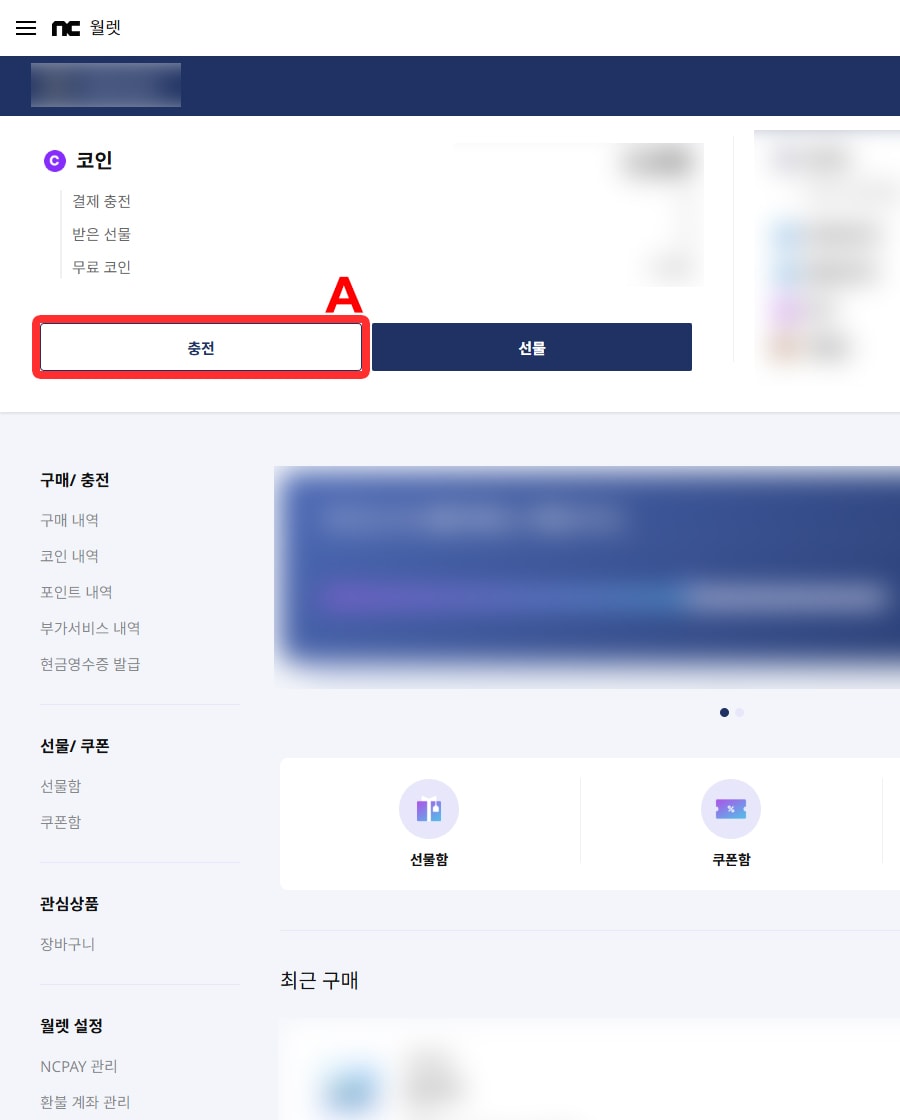
2. Click Charge (충전) (A) to open the payment window.
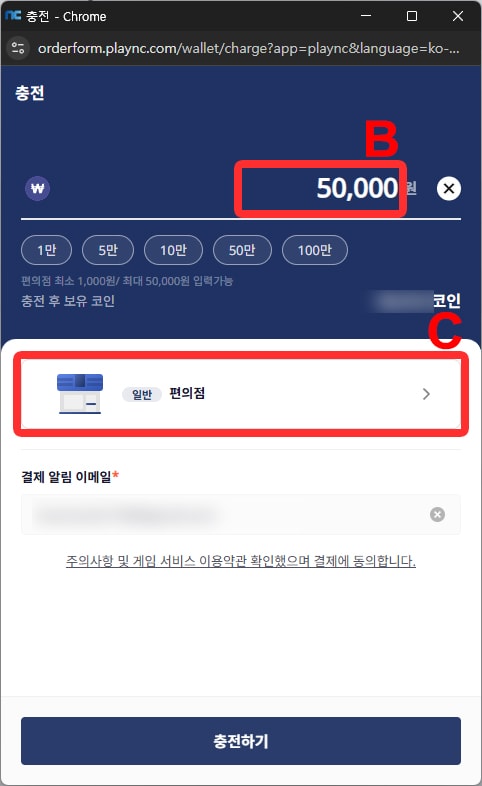
3. Enter the credit amount (B) you wish to charge then choose the payment option (C) below.
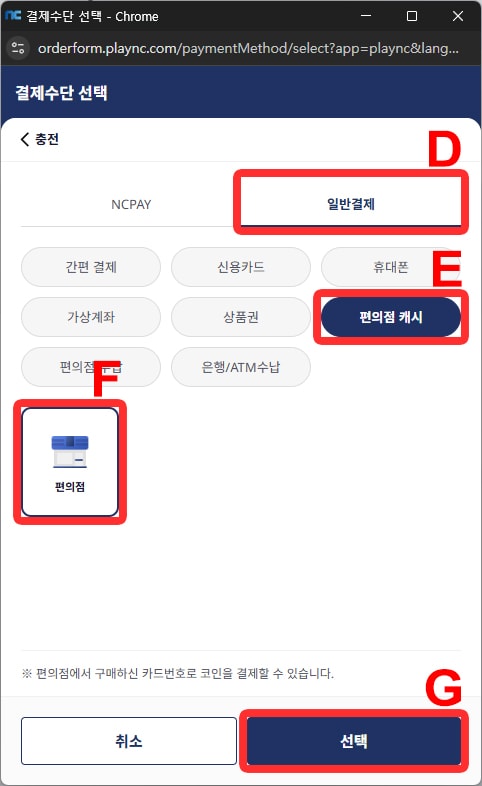
4. Select General Payment (일반결제) (D) and Convenience Store Cash (편의점 캐시) (E) Convenience Store (편의점) (F) then select Choice (선택) (G).
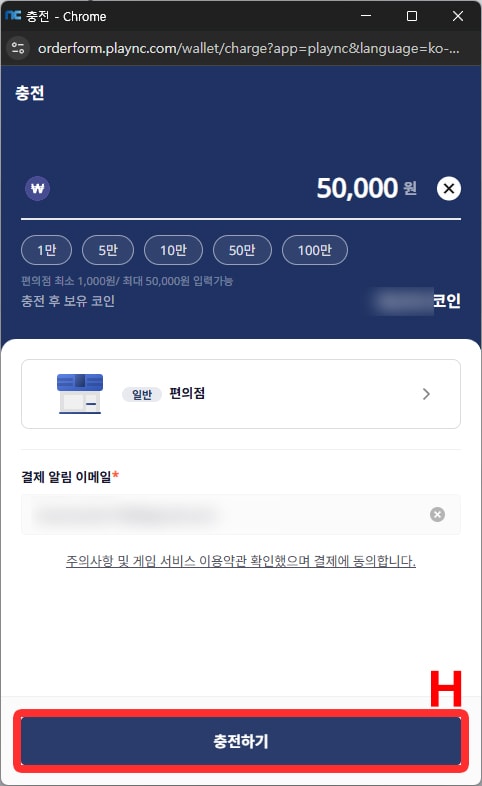
5. Click Charging (충전하기) (H).
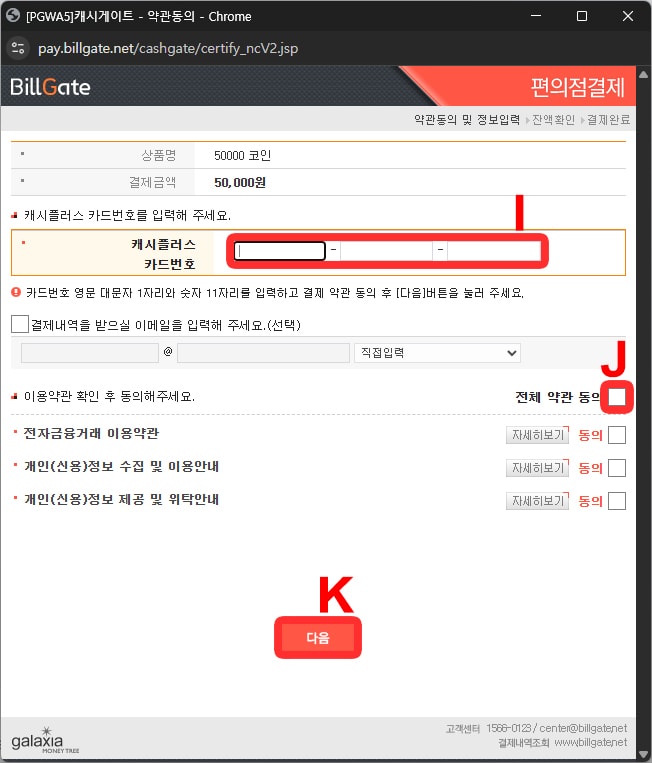
6. The gift card window will then appear, type in the Pin Code (I), select the checkbox to agree to all T&C (J) then click Next (다음) (K)
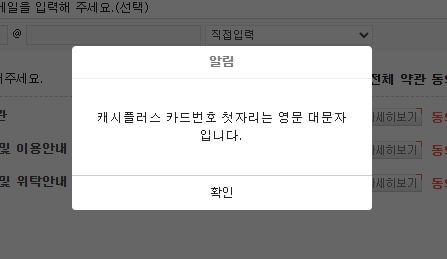 If you see a pop-up like the one above when entering the PIN code (I), please make sure your keyboard input is set to English (uppercase) before entering the code.
7. Click Purchase (결제) (L) to redeem the PIN code.
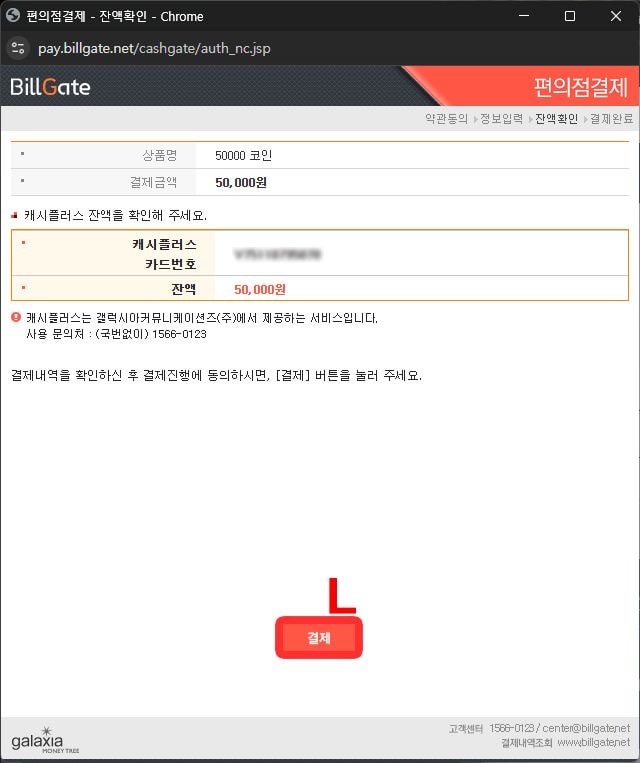
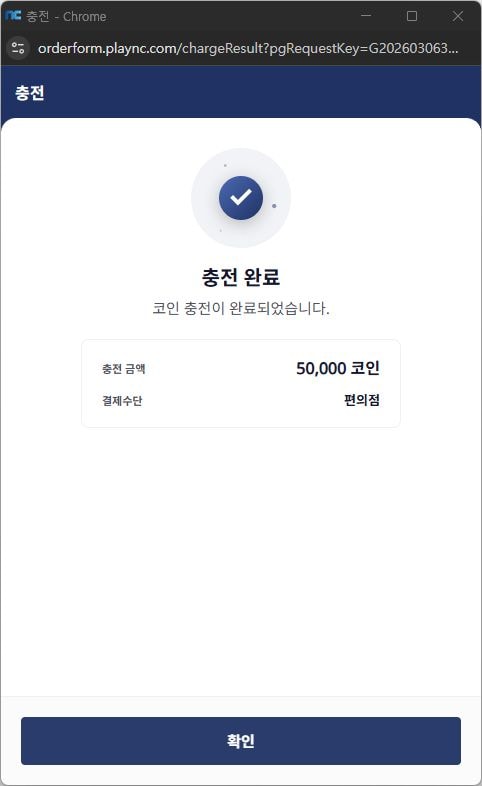
8. The credits will now be applied to your NCSoft wallet balance