Important Note: KakaoPay QR codes are only valid for 15 minutes.
Please generate a new KakaoPay payment QR code after submitting your top-up request, and upload a screenshot or photo of a valid, unexpired QR code from an active payment screen.
Expired, invalid, or reused QR codes will be rejected and the request will be canceled by an admin.
If a Top-Up request is canceled for any reason, the points used will be refunded to your account.
NCSOFT (Korea) Top-Up Instructions:
1. Open your PlayNC Wallet website and log in.
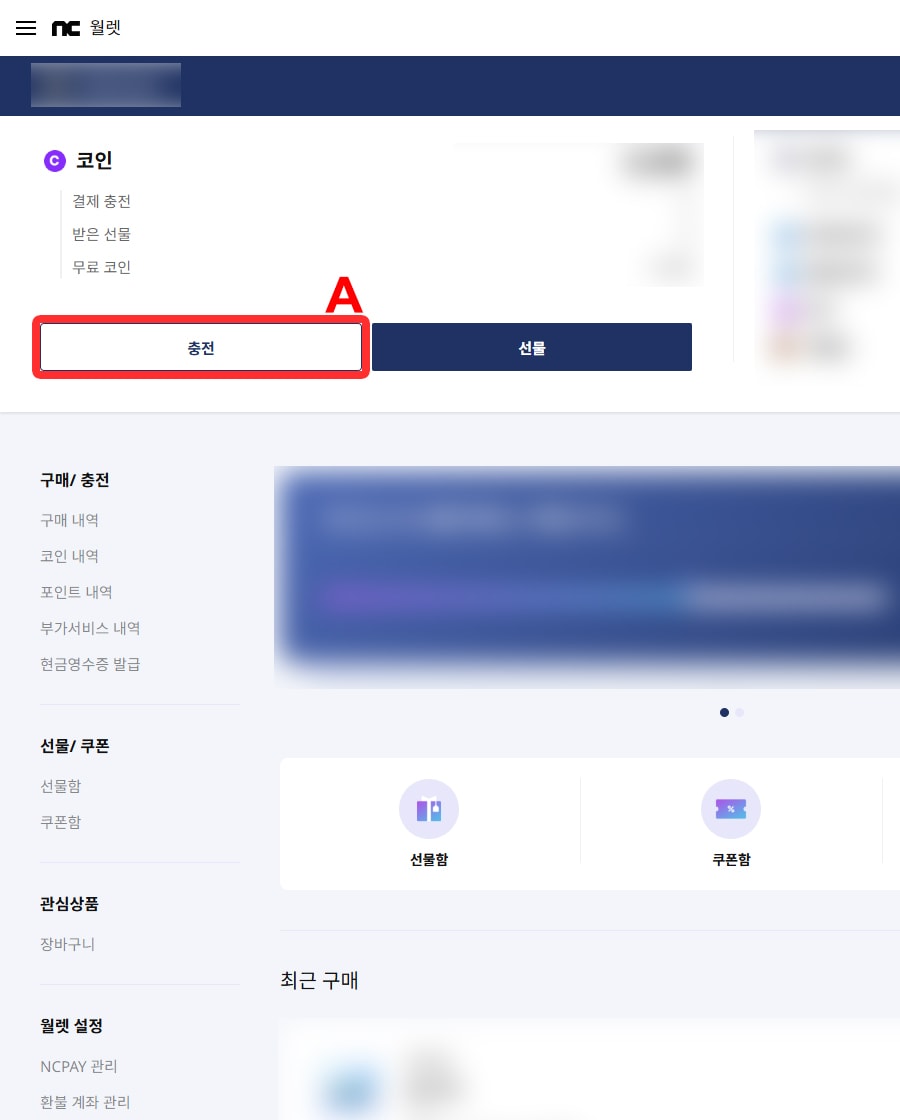
2. Click Charge (충전) (A) to open the payment window.
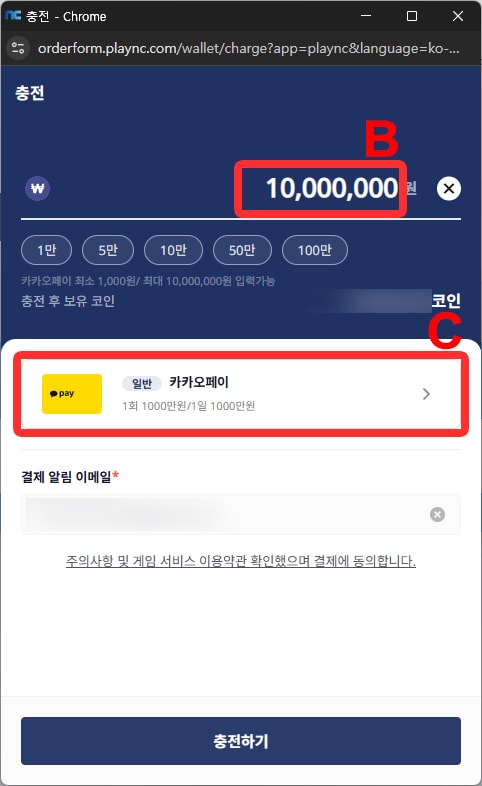
3. Enter the Top-Up credit amount (B) you selected in your order, then choose the payment option (C) below.
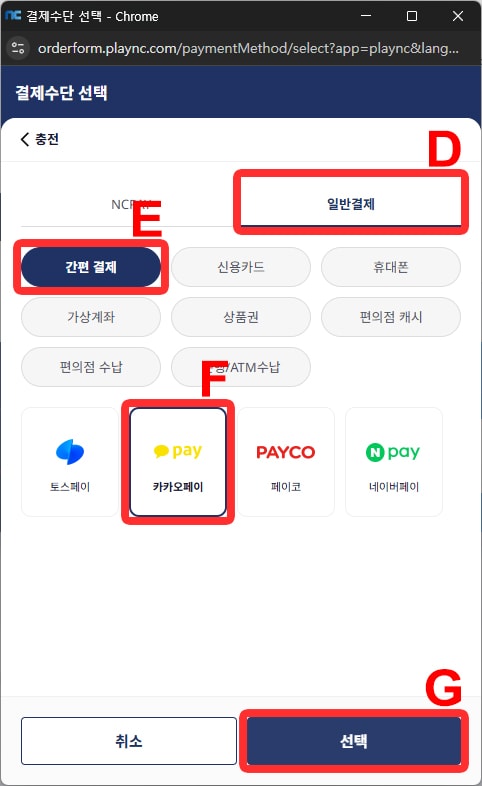
4. Select General Payment (일반결제) (D), Easy Payment (간편 결제) (E), KakaoPay (카카오페이 ) (F), then select Choice ( 선택) (G).
Once the payment method is set, you will return to the charging window.
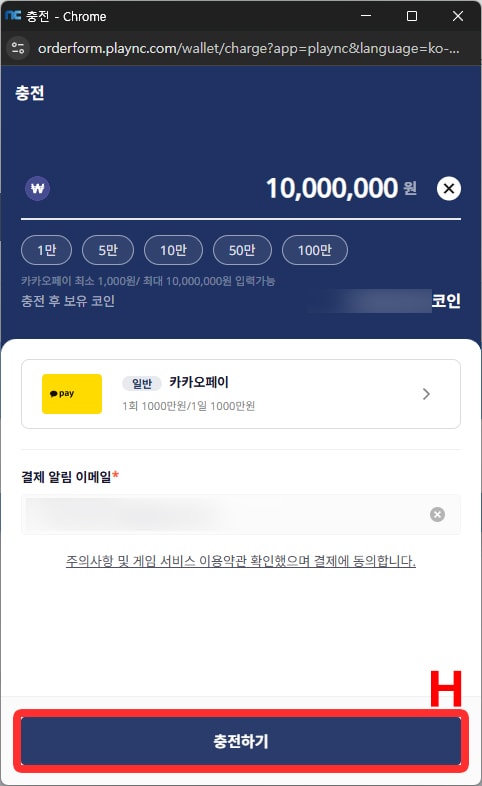
5. Click Charging (충전하기) (H).
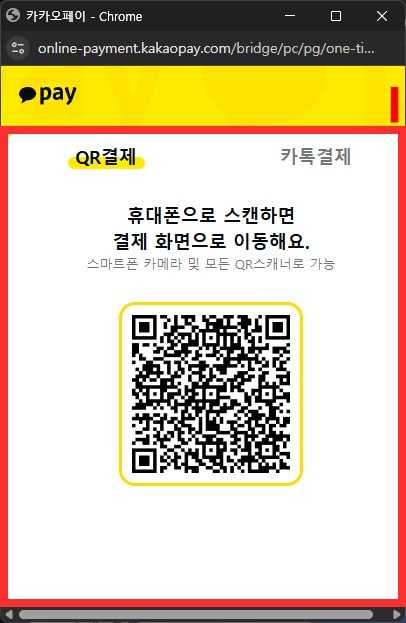
6. A new window will appear with a KakaoPay QR code (I)
Take a screenshot or photo of the QR code and upload it via the QR code upload section of your active Top-Up request.
7. This popup will automatically close once the admin completes the Top-Up payment.
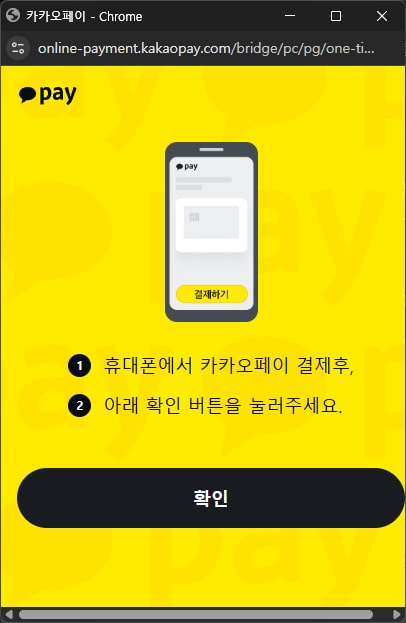
The page will then update to the payment completion screen.
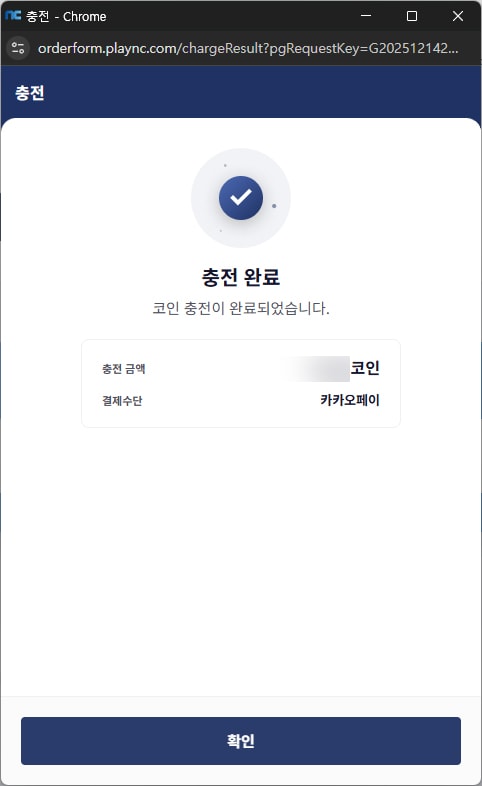
8. The purchase is now complete. You may close this window.